







Duplicates
Finds exact copies of the same photo and lines them up for review.
 TidyMyGallery
Photo cleaner for iPhone and iPad
TidyMyGallery helps you clear out duplicates, blurry shots, old screenshots and oversized files, then compress and enhance what you keep. Your photos stay on your device.
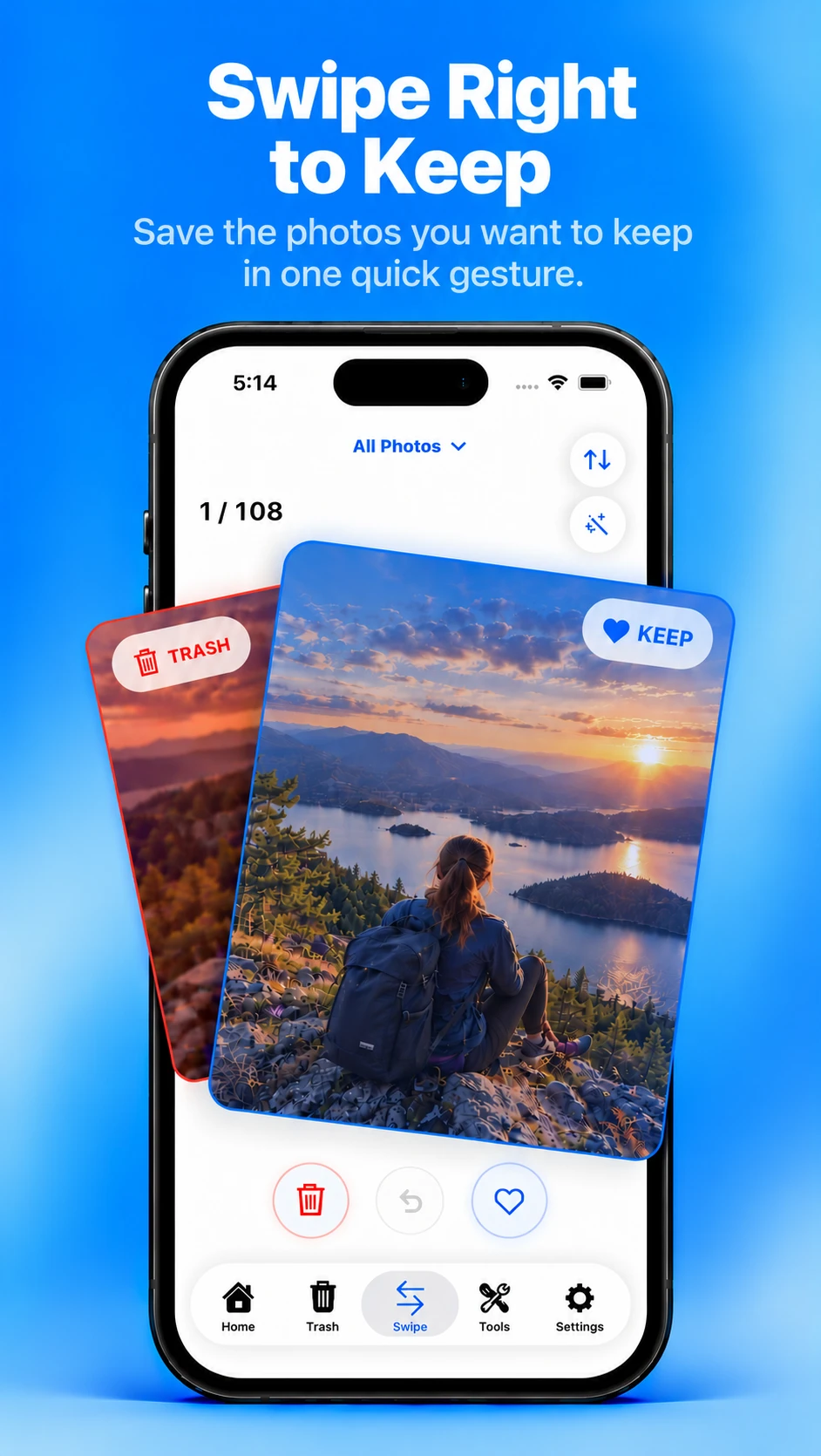
Interactive demo of swipe review. Drag a photo right to keep it or left to move it to Trash, or use the buttons below. Undo brings back the last photo.



Swipe right to keep, left to trash
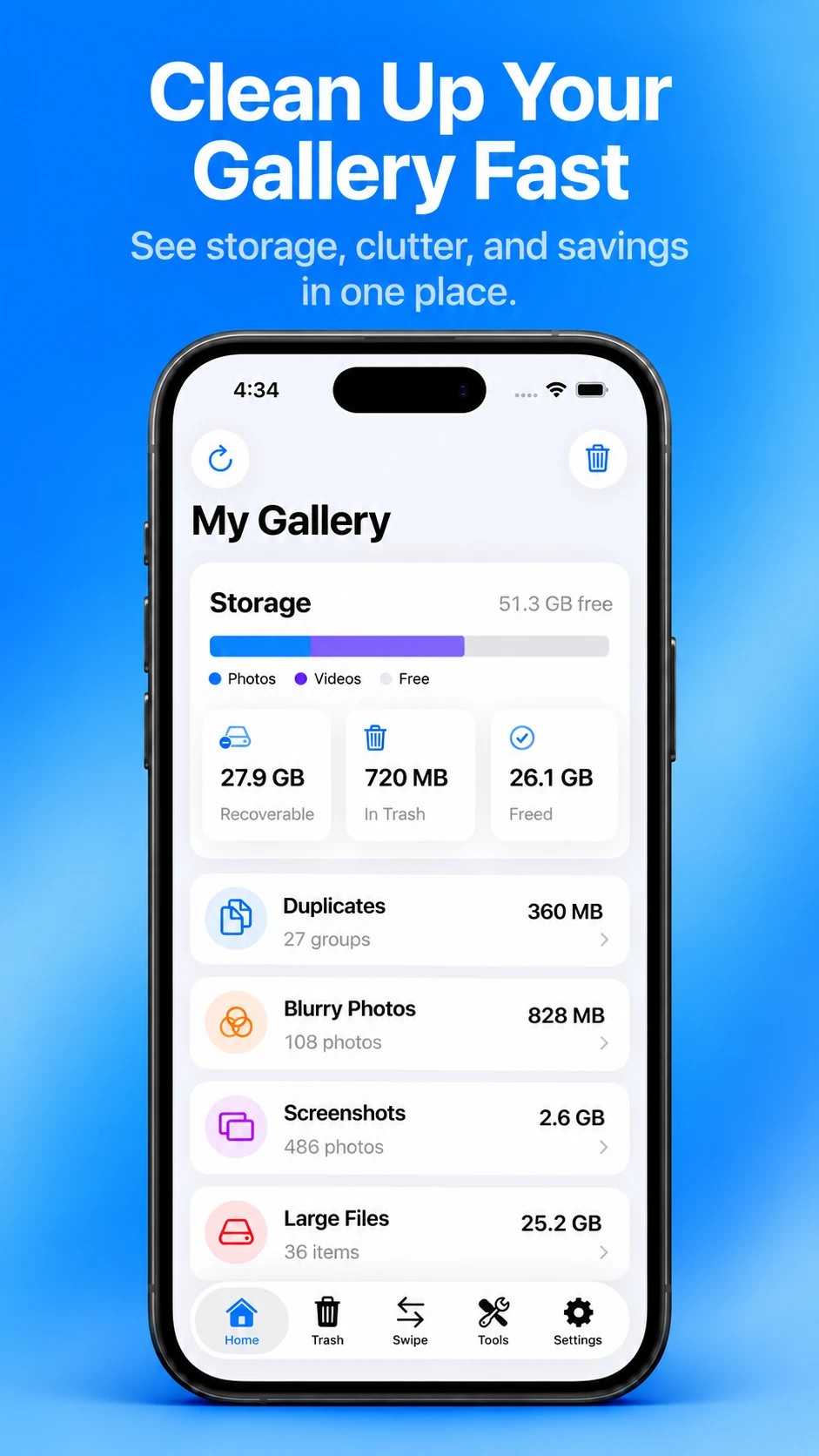
My Gallery
The home screen brings storage, clutter and savings together in one place, so you know where to start before you swipe a single photo.
See how much of your device photos and videos take up, and how much is free.
See how much space TidyMyGallery has found that you could get back.
Track what is waiting in Trash and how much you have already freed.
Duplicates, blurry photos, screenshots and large files, each with its count and size.
Review
TidyMyGallery sorts your library into focused categories and shows how much space each one holds, so you can deal with one kind of clutter at a time.
Finds exact copies of the same photo and lines them up for review.
Surfaces the shots that came out soft, so you can decide what stays.
Gathers your screenshots in one place, ready to clear out.
Shows the items taking up the most room in your library.
Brings older photos back into view for a second look.
Lets you go through your videos on their own.
Swipe review
Review your library one item at a time. A big cleanup becomes something you can do a few photos at a time.
Tools
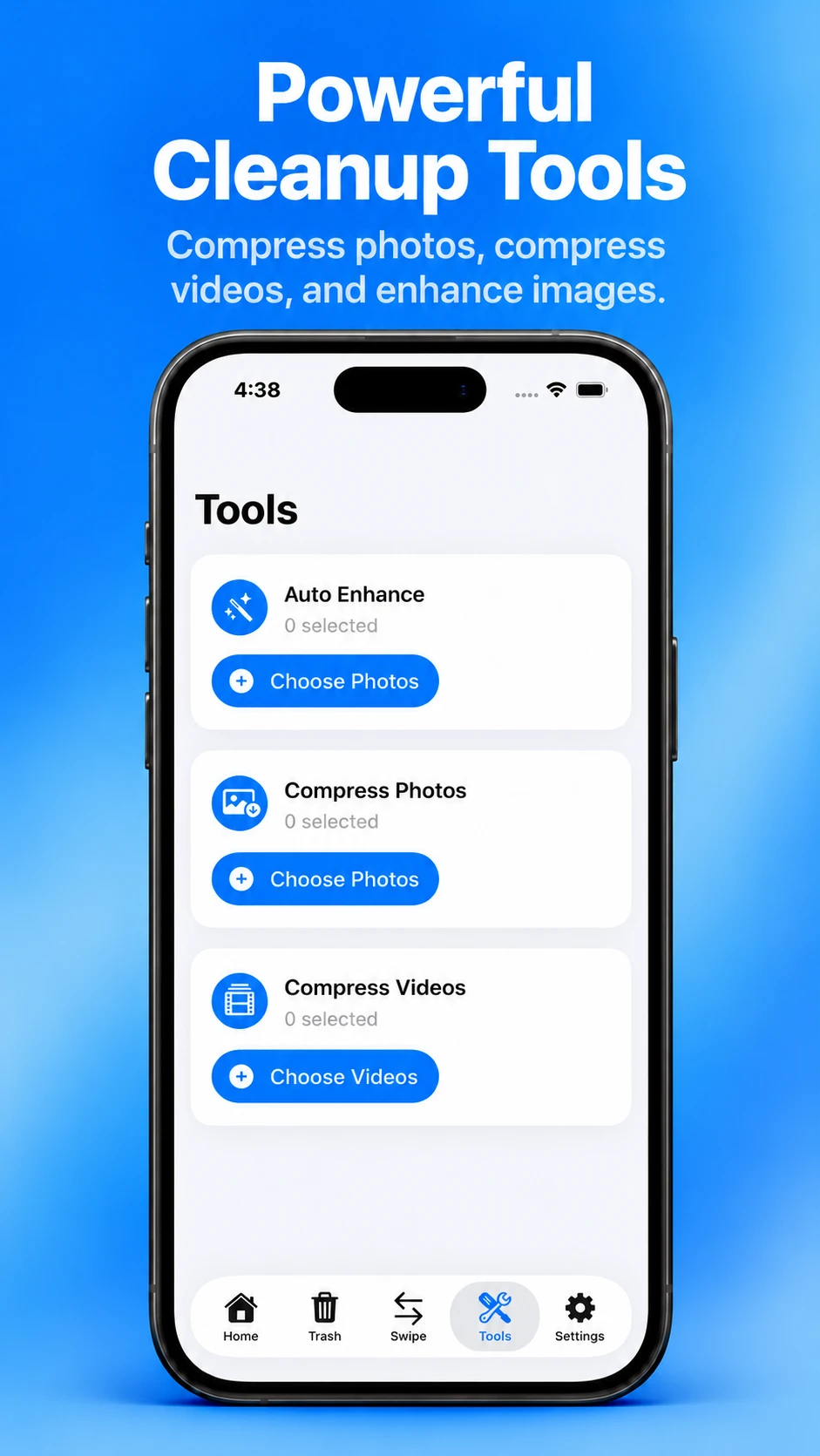
Not everything has to go. Shrink the photos and videos worth keeping, and give the ones that need it a lift.
Improve lighting and color.
Reduce photo file size.
Reduce video file size.
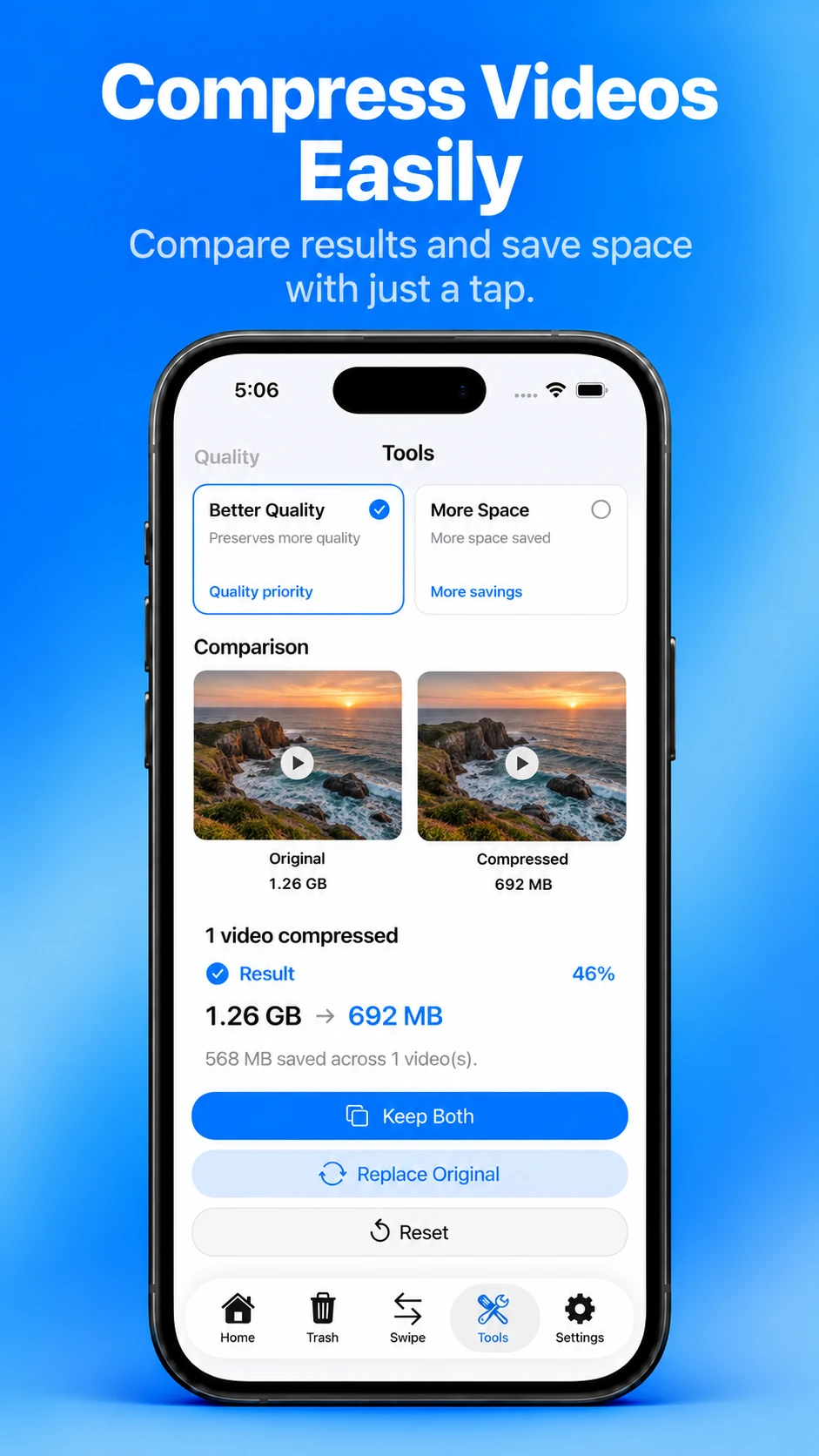
Choose how far to go: Balanced or Compact for photos, Better Quality or More Space for videos. When it’s done, the original and the compressed copy sit side by side, with the space saved.
Compression saves a new copy first. Keep both, or replace the original once you’re happy with the result.
Savings depend on the original file, its format and resolution, and the option you choose.
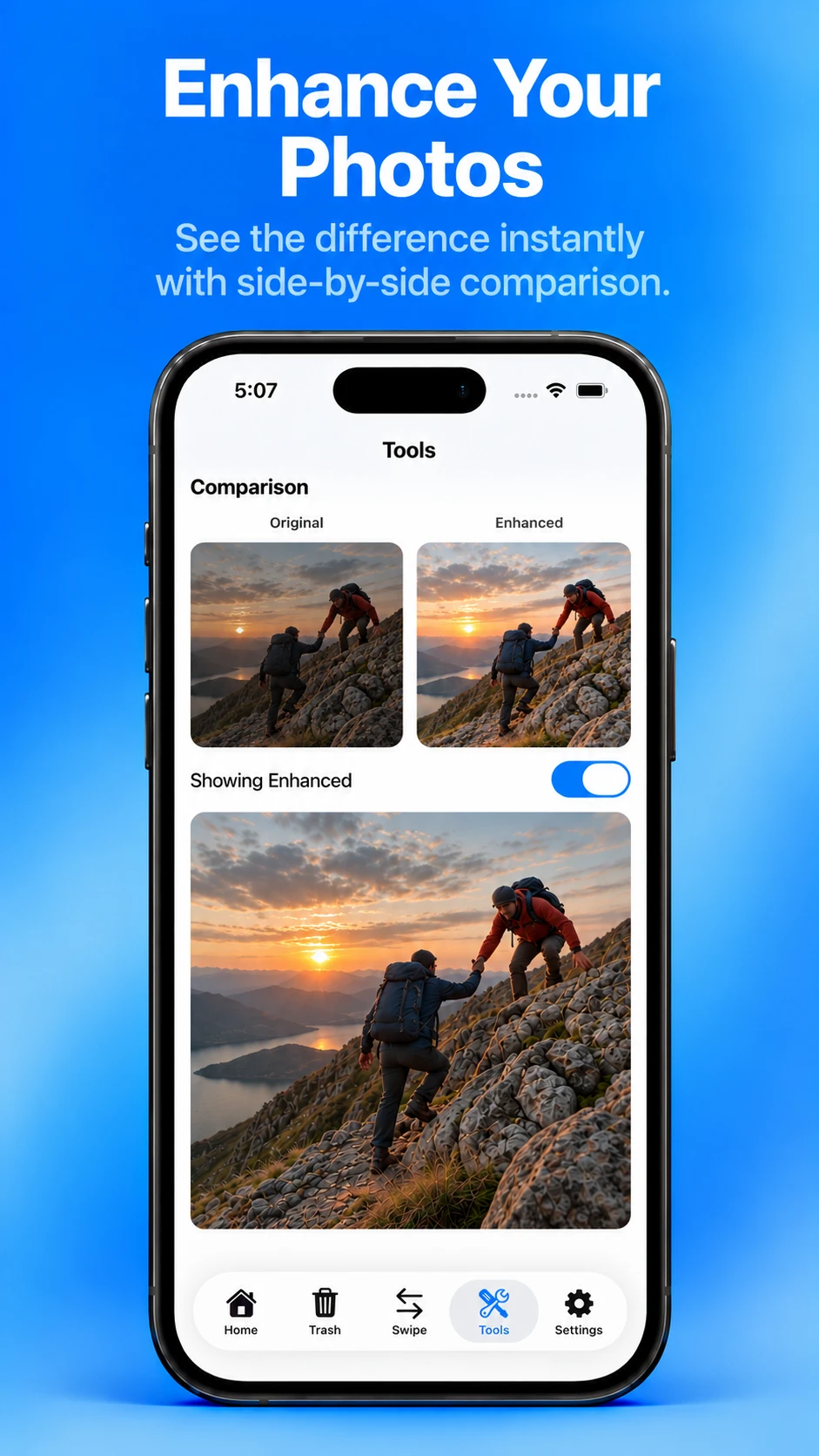
Auto Enhance adjusts lighting, color, contrast and clarity for a more polished result. Compare the original and the enhanced photo side by side before you save anything.
Your original is not replaced automatically. Keep both, or replace the original when that option is available.
How it works
Cleaning up shouldn’t feel risky. TidyMyGallery keeps you in control at every step.
TidyMyGallery looks through the photos you allow it to access and sorts them into categories. The analysis runs on your device.
Swipe through your library or open a category. Anything you choose to remove goes to TidyMyGallery’s Trash first, where you can still restore it.
When you’re ready, confirm from Trash. iOS asks for your permission before deleting, and Apple Photos may keep the items in Recently Deleted for a limited time.
Privacy
TidyMyGallery processes photos and videos locally. We do not upload, sell, or use your media for advertising.
Read the Privacy PolicyTidyMyGallery does not upload your photos or videos to its own servers.
There is nothing to sign up for. The app does not collect your name or email address as part of normal use.
No analytics, advertising, or crash-reporting SDKs are built into the app.
TidyMyGallery does not sell personal data.
Premium
TidyMyGallery Premium is an optional subscription, offered as Monthly and Yearly plans and purchased through the App Store.
Subscriptions renew automatically unless cancelled at least 24 hours before the end of the current period. They are managed by Apple in your Apple Account subscription settings. Current plans and pricing are shown in the app.

TidyMyGallery is made for iPhone and iPad, running iOS 16 or later.